AI For Lawyers
AI Legal Document Summarizer

Every lawyer knows the feeling. A 90-page judgment lands in your inbox an hour before a hearing, and you need to know three things: what was decided, why, and whether it helps your case.
Reading judgments has always been part of the job, but it was never meant to consume most of your day. The good news is that AI, used with a clear method, can cut the time without cutting the rigour. This guide gives you that method.
Why judgments take so long to read
A judgment isn’t written for speed. It’s written to record reasoning, and that means:
Long factual recitals that restate the pleadings
Arguments from both sides, often reproduced at length
Multiple issues, each with its own analysis
Precedents quoted at length
Observations (obiter) mixed in with the binding holding (ratio)
The real value, usually a few paragraphs of reasoning and the operative order, is buried inside. Efficient reading means finding those paragraphs fast and then reading them closely.
The 6-step method for reading a judgment with AI
Step 1: Get a clean, readable copy first
Many judgments arrive as scanned PDFs, stamped copies or images of certified copies. If the text can’t be searched, nothing else works. Start with OCR so you have clean, selectable text. Skipping this step is the most common reason AI summaries come out patchy.
Step 2: Ask for the “one-page map” before you read anything
Before diving in, get your bearings. Ask the AI for a short structured overview:
Court, bench and date
Parties and their roles
Statutes and sections invoked
Issues framed by the court
Final outcome (allowed, dismissed, remanded, partly allowed)
This takes seconds and tells you immediately whether the judgment is worth your next hour. If the court, subject matter or outcome doesn’t fit your need, you’ve saved yourself the read.
Step 3: Build the timeline
Litigation is a story told in dates: filing, notices, interim orders, hearings, appeals. Judgments often scatter these across many pages.
Ask the AI to extract a chronological list of dates and events. This is useful well beyond reading. It forms the base of a List of Dates and Synopsis, and it helps you spot limitation, delay or sequencing issues that are easy to miss in dense paragraphs.
Step 4: Isolate the issues, the reasoning and the ratio
This is the heart of the exercise. Ask pointed questions, not “summarise this”:
What issues did the court frame?
What was the court’s reasoning on each issue?
Which precedents did it rely on, and for what proposition?
Which part is the ratio decidendi and which is obiter?
Did the court distinguish or overrule any earlier decision?
Specific questions get specific, usable answers. A generic summary tells you what the judgment is about. Targeted questions tell you what it decides.
Step 5: Verify against the source, every time
This step separates a professional workflow from a risky one.
AI can speed up reading, but it must never replace verification. Any proposition you intend to cite or rely on should be traced back to the exact paragraph in the original text. Use tools that link each answer to its source passage, so you can jump straight from the insight to the line in the judgment. Treat an uncited AI statement as a lead to check, not a finding to quote.
Also confirm that the judgment is still good law: whether it was appealed, stayed, overruled or distinguished later.
Step 6: Convert your reading into work product
Reading is only useful if it feeds into something: a note, a brief, a reply or a petition. Capture your takeaways while they’re fresh:
A short case note with the ratio, key paragraphs and your assessment
Citations tagged by proposition, so they can be reused
Extracted arguments that support or oppose your position
When reading and drafting happen in the same workspace, the gap between “I understand this judgment” and “I’ve used it in my draft” nearly disappears.
A worked example: the 90-page judgment, 20 minutes before a hearing
Say you’ve just received a High Court judgment on a bail matter.
Clean the text (a minute, if it’s a scan).
One-page map: bench, sections invoked, outcome. Relevant, so you continue.
Timeline: arrest, remand, earlier bail orders, charge-sheet. You notice the delay in filing.
Targeted questions: “What factors did the court weigh in granting bail?” and “Which Supreme Court decisions did it rely on?”
Verify: open the cited paragraphs and confirm the holding in the court’s own words.
Note it down: two lines of ratio, three paragraph references, one sentence on how it applies to your client.
You’ve gone from an unread PDF to a verified, usable position, and the judgment itself was read where it mattered.
Common mistakes to avoid
Treating a summary as the judgment. Summaries orient you. They don’t replace reading the operative paragraphs.
Asking vague questions. “Summarise” gets generic output. “Explain the court’s reasoning on limitation” gets something you can use.
Skipping verification. Citing something you haven’t confirmed in the source is a professional risk.
Ignoring the order. The operative portion sets out exactly what was directed. Always read it yourself.
Using tools that don’t protect client data. Confidential case files need private, secure handling, and your AI tool should not train on your documents.
What to look for in an AI tool for judgments
If you’re choosing a tool for this workflow, a few features matter more than flashy ones:
Source-linked answers, so every insight points back to the original text
Document analysis and summaries built for long legal documents
OCR for scanned and stamped copies
Timeline and List of Dates generation
Case law research across Supreme Court and High Court judgments
Data privacy: encrypted, private, and no training on your data
Human control, meaning the professional always reviews and decides
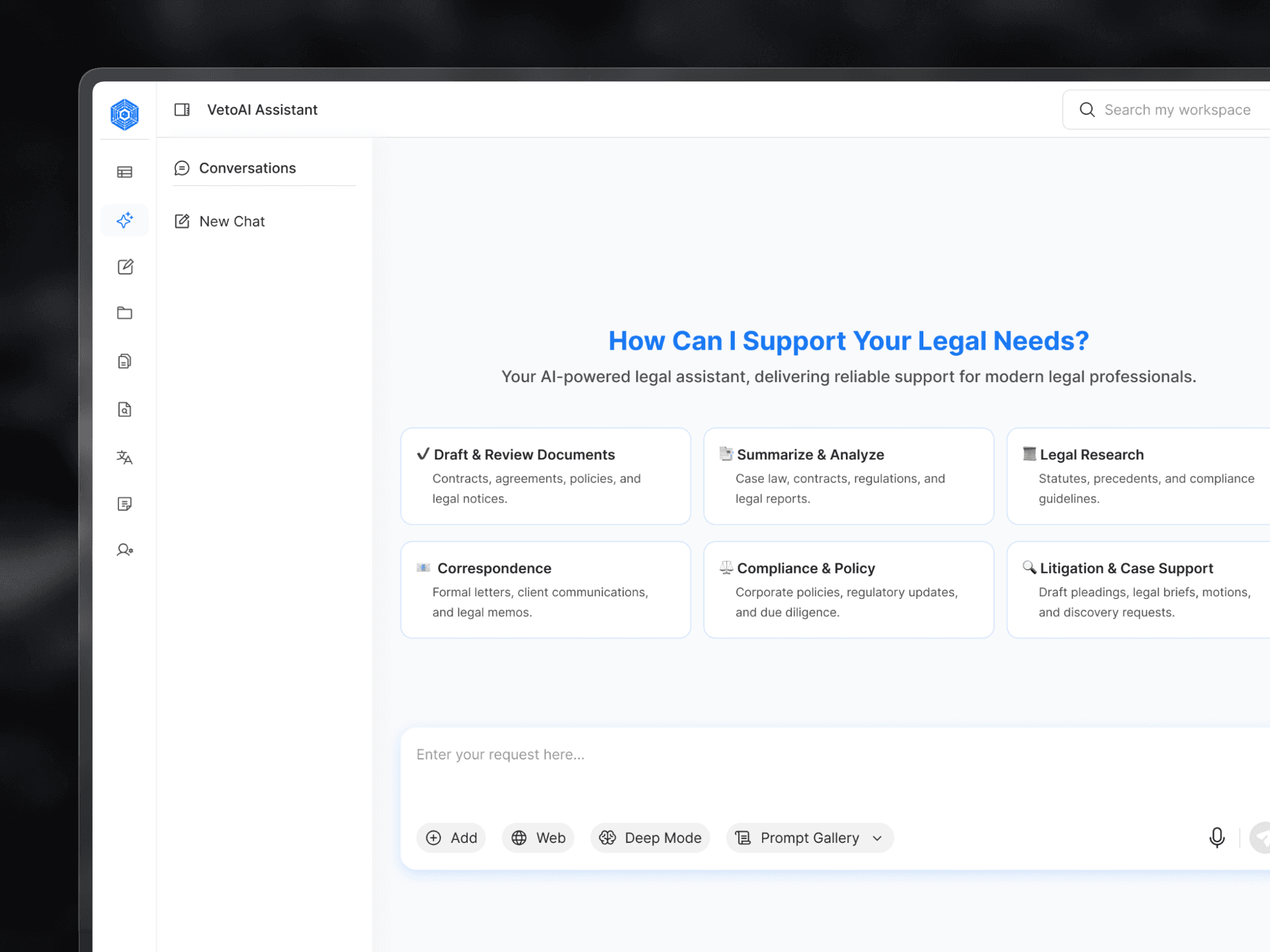
This is the thinking behind VetoAI, a legal AI workspace built for lawyers, CAs and legal teams in India. You upload a judgment, get structured analysis and a timeline, and ask questions that come back with source-linked references. You can then carry those findings straight into a draft in the same place. It’s designed to take over the repetitive reading and organising so your time goes to analysis, strategy and advocacy.
The takeaway
AI doesn’t change what a good lawyer does with a judgment. It changes how long the first pass takes. Follow the method (clean text, map, timeline, targeted questions, verify, capture) and you’ll read faster, miss less, and walk into court better prepared.
The judgment is still yours to interpret. The tools just make sure you reach the important paragraphs sooner.
Want to see this workflow on a real judgment? Book a free demo of VetoAI and try it on a case you’re working on.
Author :
Avika Grover
Innovator @VetoAI | Litigation & Dispute Resolution

Get started with legal AI
Ready to Work Smarter With Legal AI?